Do-It-Yourself message retrieval app
USCDI and the FHIR API are great, but they don't provide access to everything in MyChart. One big thing missing is an interface to download doctor/patient messages. Thanks to the power of AI, however, it only took a few prompts to figure out Epic's internal messaging API and develop a message retrieval app. Since the API is internal to Epic, however, the Fetch My Epic Token credentials won't work. Instead, the app has to borrow credentials from an existing MyChart session. Here's how to do this:
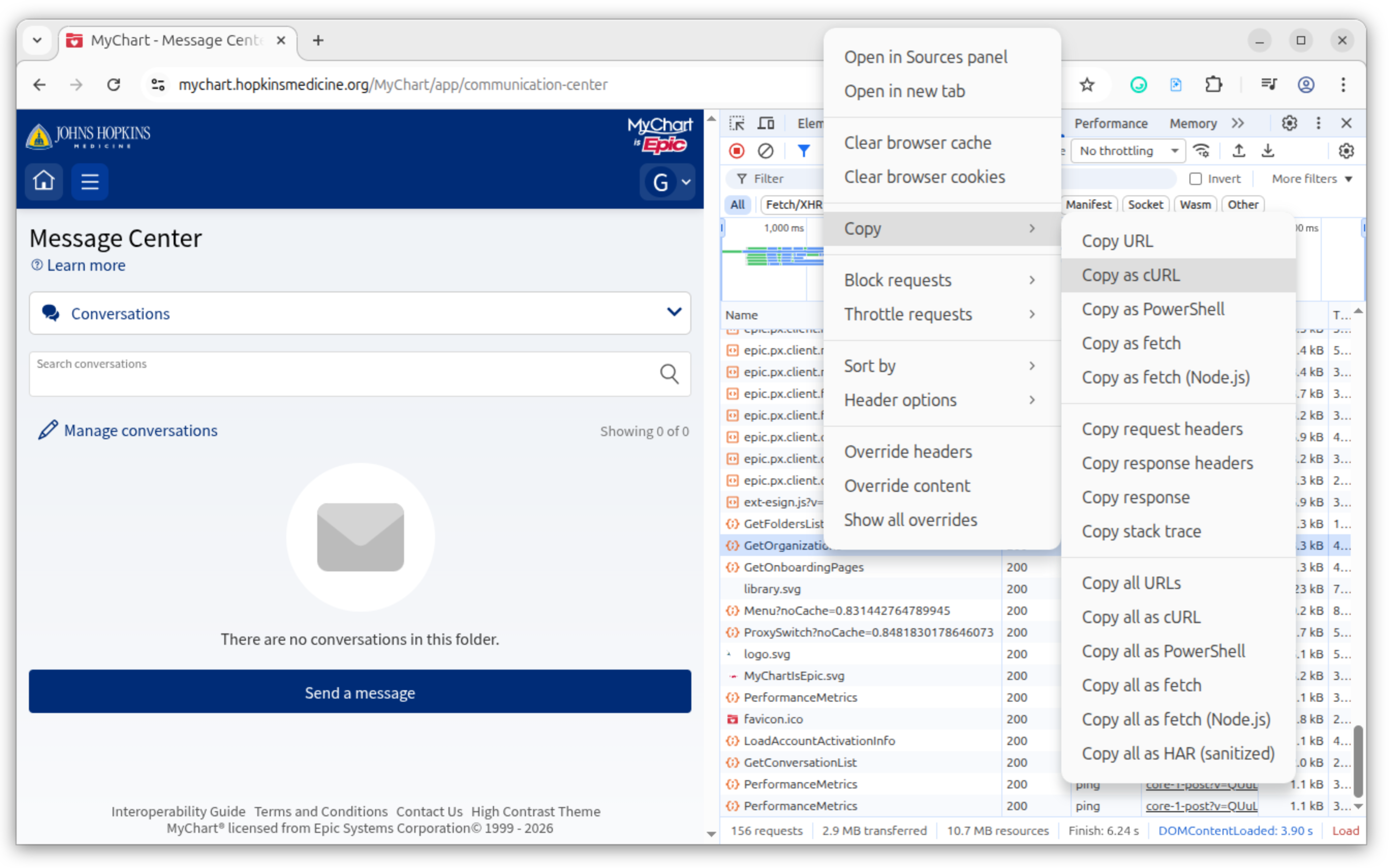
- Login to your MyChart instance, then open the "Developer tools" on your browser and click on the network tab
- Navigate to the "Message Center" in MyChart
- After the page loads, look for a line starting with "GetOrganizations" near the bottom of the network log
- Right-click the "GetOrganizations" line
- Click Copy → Copy as cURL in the pop-up menu that appears